 FeatherClip
MAC · ON-DEVICE AI · FREE
Clean up video with AI. Then trim it.
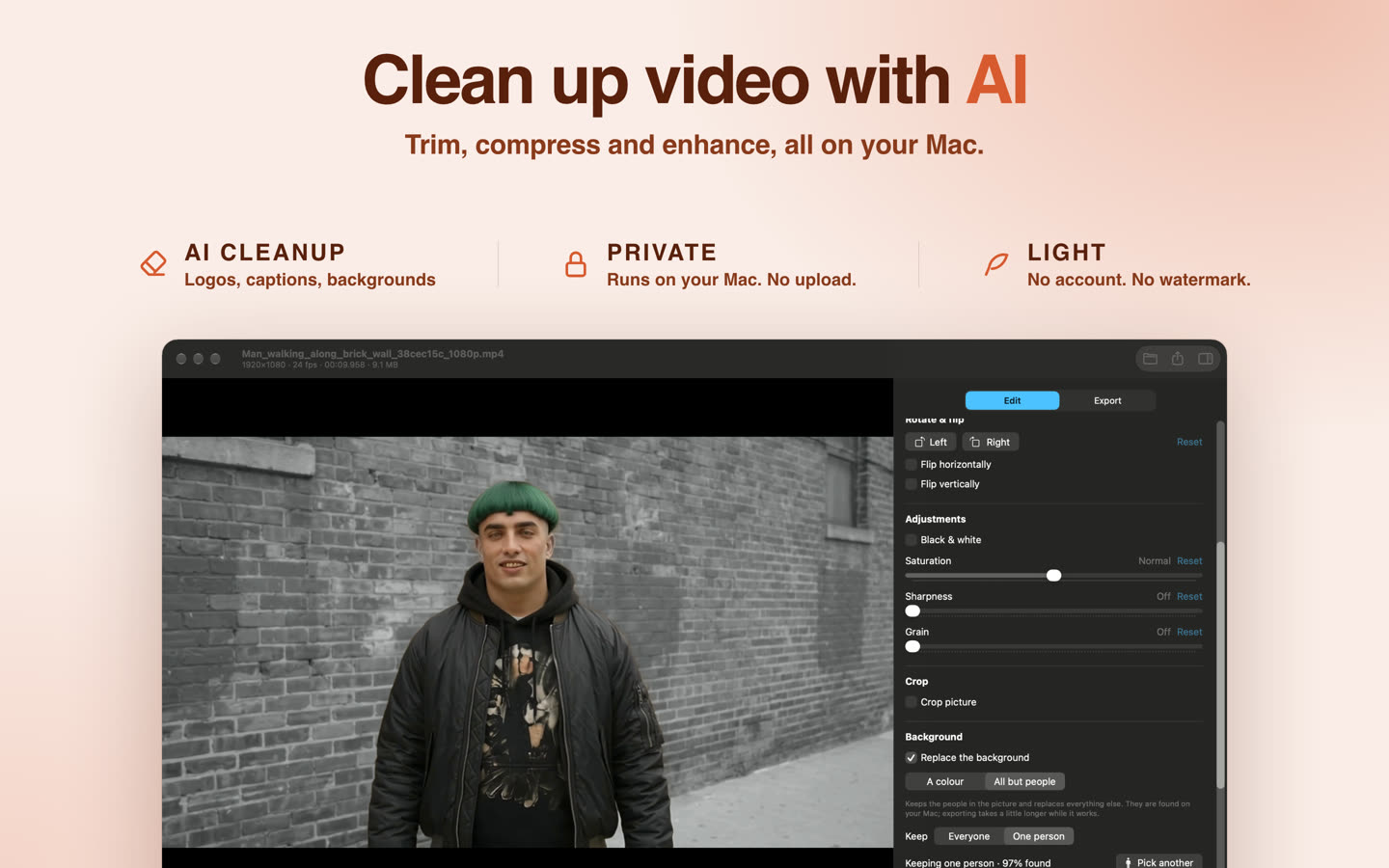
FeatherClip is a free video editor for Mac that erases logos, captions and backgrounds with on-device AI, keeps one person in color, and then trims and compresses the result. It is under 50 MB, needs no account, and never uploads your videos.
Coming soon to the Mac App Store. Free · macOS 14 Sonoma or later · Apple silicon
What it does
AI cleanup
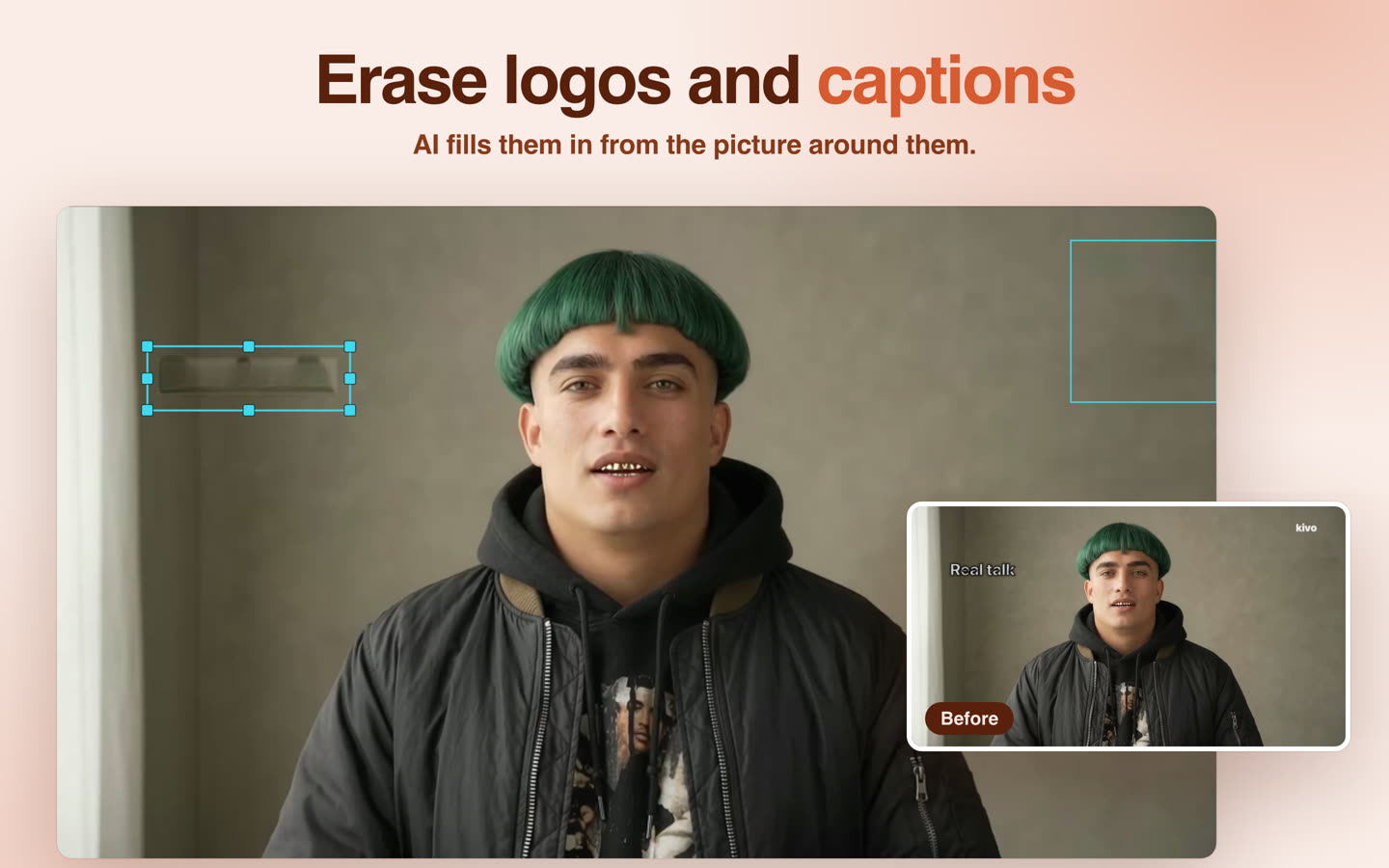
- AI Remove erases captions, logos and watermarks from moving video.
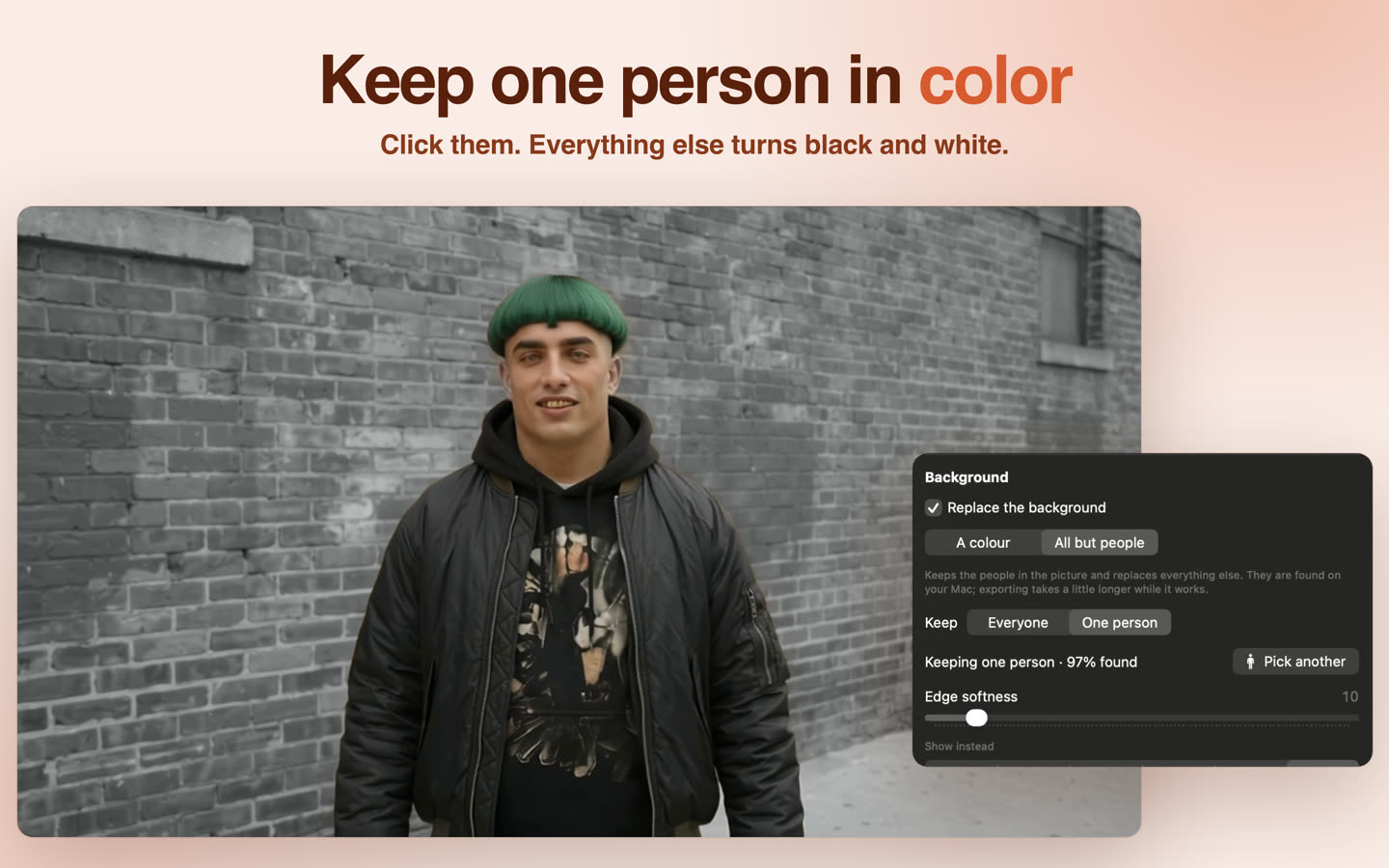
- Background removal keeps the people and replaces the rest with a color, a picture, a blur or black and white.
- Color pop keeps the person you click in color.
AI effects
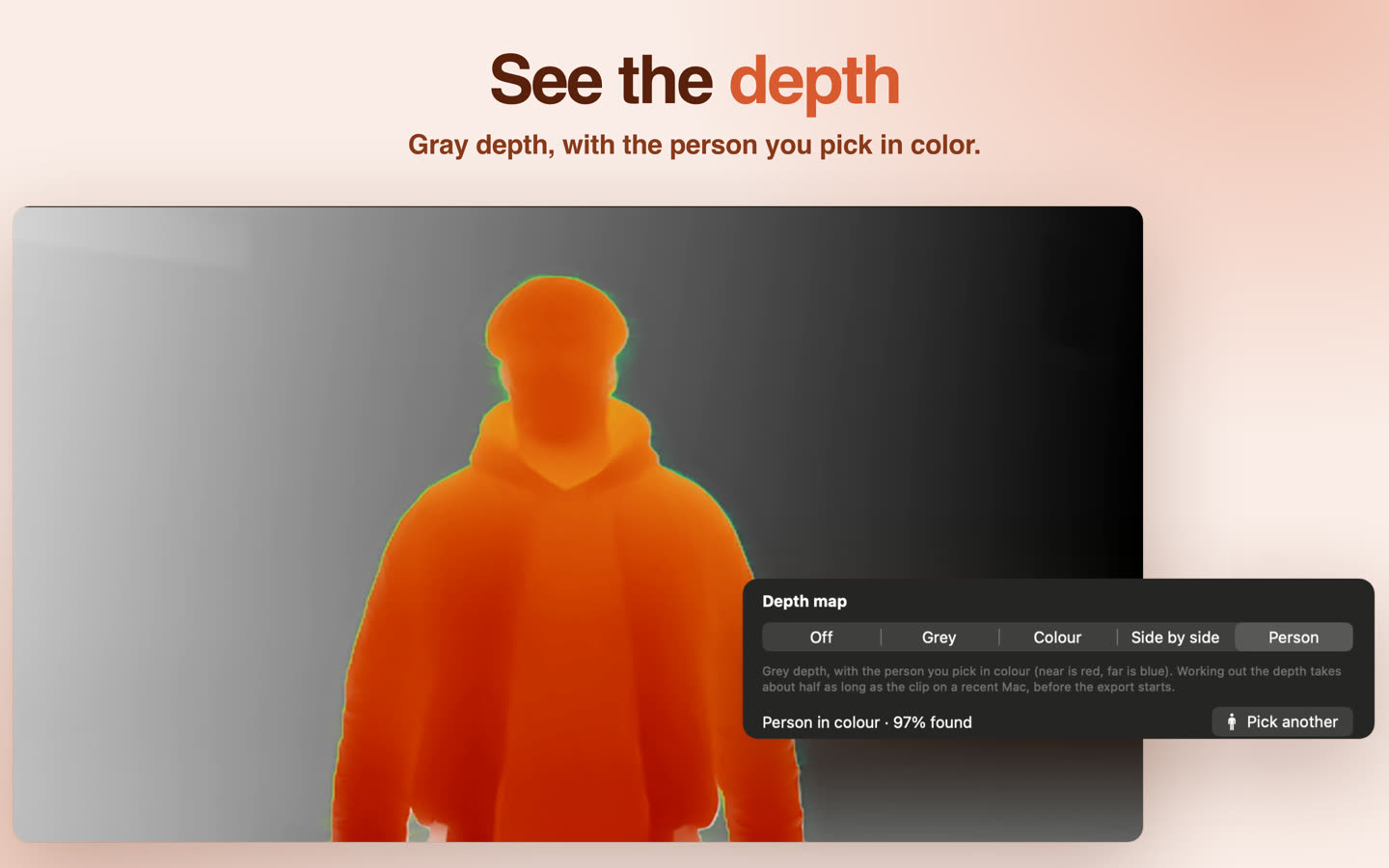
- Depth map in gray or color, or side by side with your edit.
- Depth with one person in color, against gray depth.
- Chroma key for a green screen or any solid color.
Hide and protect
- Blur or pixelate faces, number plates and screens; a box can follow a moving face.
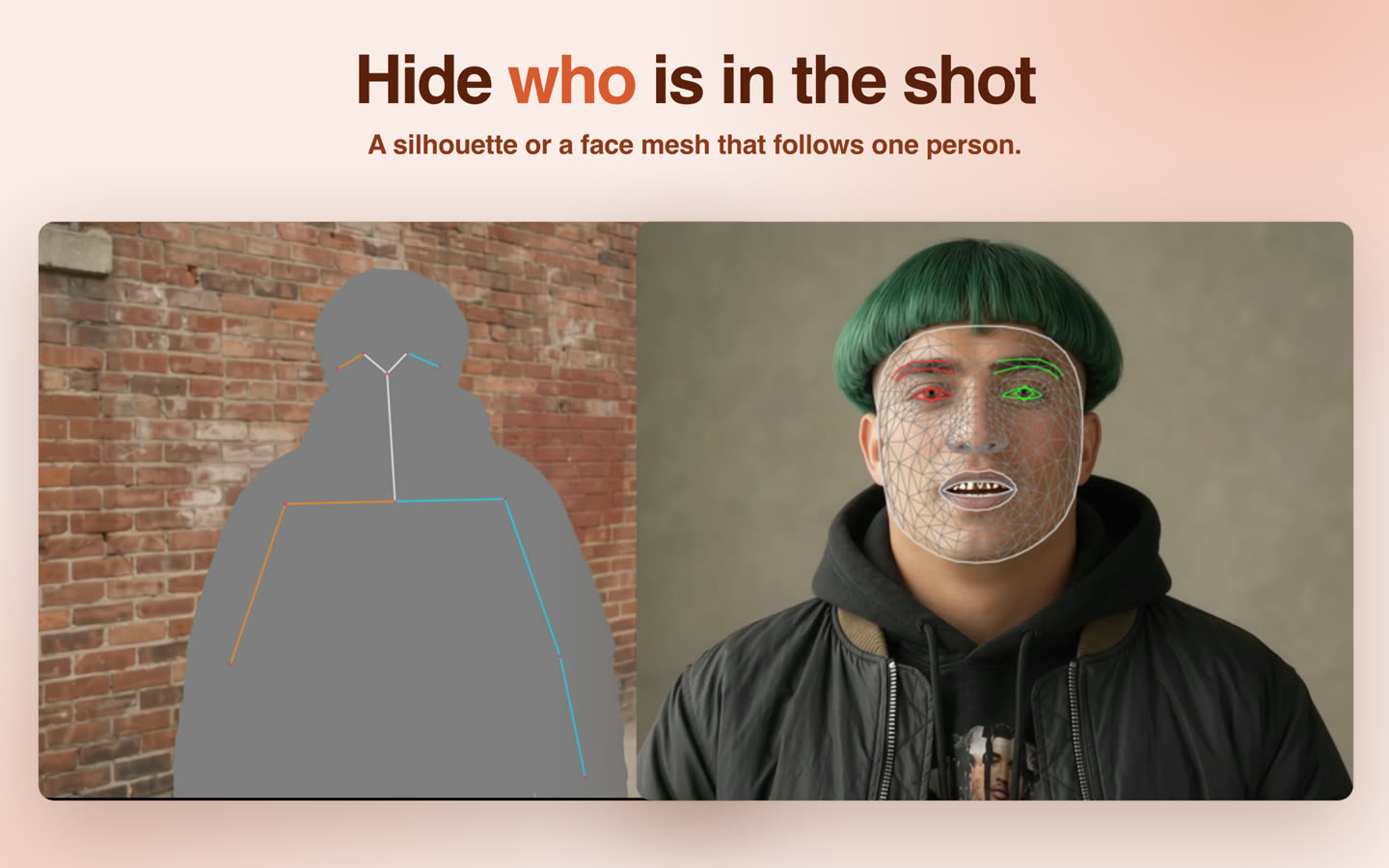
- A silhouette with a skeleton, or a 478-point face mesh, that follows one person.
- See and remove hidden tags such as location, date and device.
Trim and compress
- Frame-accurate in and out points on a timeline with thumbnails and waveform.
- H.264 MP4 up to 1080p with a size estimate before you export.
- Animated GIFs, still frames, contact sheets, and MP3, WAV or FLAC audio.
At a glance
- Price
- Free. No ads, no account, no watermark.
- Requires
- macOS 14 Sonoma or later on a Mac with Apple silicon (M1 or newer).
- Size
- Under 50 MB. Three optional AI models download only when you first use their feature.
- Opens
- MP4, MOV, MKV, WebM, AVI, WMV; MP3, WAV, FLAC, OGG, Opus, WMA.
- Privacy
- No analytics, no tracking, no upload. App Store privacy label: Data Not Collected.
Questions
Is FeatherClip free?
Yes. FeatherClip is free, with no ads, no account and no watermark on exports.
Which Macs does FeatherClip run on?
Macs with Apple silicon (M1 or newer) running macOS 14 Sonoma or later.
Are my videos uploaded anywhere?
No. Every edit, AI effect and export runs on your Mac, and nothing about you or your videos is sent anywhere.
Does FeatherClip need the internet?
No. AI Remove, face mesh and the depth map each need a model that the app downloads once, when you first use the feature (about 45 MB, 2 MB and 19 MB). Everything else works offline from the start.
Can FeatherClip remove a logo or caption from a video?
Yes. Draw a box around a caption, logo or watermark and AI Remove fills it in from the picture around it, frame by frame, on your Mac.
Which formats can it open and export?
It opens MP4, MOV, MKV, WebM, AVI and WMV video, and MP3, WAV, FLAC, OGG, Opus and WMA audio. It exports H.264 MP4 up to 1080p, animated GIFs, still frames, contact sheets, and MP3, WAV or FLAC audio.
Where can I get FeatherClip?
FeatherClip is coming to the Mac App Store. This page will link to it as soon as it is available.